PGMA Files
ASCII PGM Files (Portable Gray Map)
PGMA is a data directory which
contains examples of the ASCII PGM (Portable Gray Map) file format. It is a simple
grayscale image description. The definition is as follows:
-
the typical file extension is ".pgm", but an extension of
".pnm" is also occasionally used.
-
A "magic number" for identifying the file type. An
ASCII PGM file's magic
number is the two characters "P2".
-
Whitespace (blanks, TABs, CRs, LFs).
-
A width, formatted as ASCII characters in decimal.
-
Whitespace.
-
A height, again in ASCII decimal.
-
Whitespace.
-
The maximum gray value, again in ASCII decimal.
-
Whitespace.
-
Width * height gray values, each in ASCII decimal, between 0 and the
specified maximum value, separated by whitespace, starting at the
top-left corner of the graymap, proceeding in normal English
reading order.
A value of 0 means black, and the maximum value means white.
Characters from a "#" to the next end-of-line are ignored (comments).
No line should be longer than 70 characters.
Example ASCII PGM file:
        P2
        # feep.ascii.pgm
        24 7
        15
        0 0  0  0  0  0  0  0  0 0  0  0  0  0  0  0  0 0  0  0  0  0  0  0
        0 3  3  3  3  0  0  7  7 7  7  0  0 11 11 11 11 0  0 15 15 15 15  0
        0 3  0  0  0  0  0  7  0 0  0  0  0 11  0  0  0 0  0 15  0  0 15  0
        0 3  3  3  0  0  0  7  7 7  0  0  0 11 11 11  0 0  0 15 15 15 15  0
        0 3  0  0  0  0  0  7  0 0  0  0  0 11  0  0  0 0  0 15  0  0  0  0
        0 3  0  0  0  0  0  7  7 7  7  0  0 11 11 11 11 0  0 15  0  0  0  0
        0 0  0  0  0  0  0  0  0 0  0  0  0  0  0  0  0 0  0  0  0  0  0  0
ASCII PGM File Characteristics:
-
ASCII
-
Gray
-
2D
-
No compression
-
1 image
Licensing:
The computer code and data files described and made available on this web page
are distributed under
the GNU LGPL license.
Related Data and Programs:
PBMA,
a data directory which
describes ASCII PBM (Portable Bit Map) files.
PGMB,
a data directory which
describes binary PGM (Portable Gray Map) files.
PPMA,
a data directory which
describes ASCII PPM (Portable Pixel Map) files.
Reference:
-
the NETPBM homepage.
Sample Files:
-
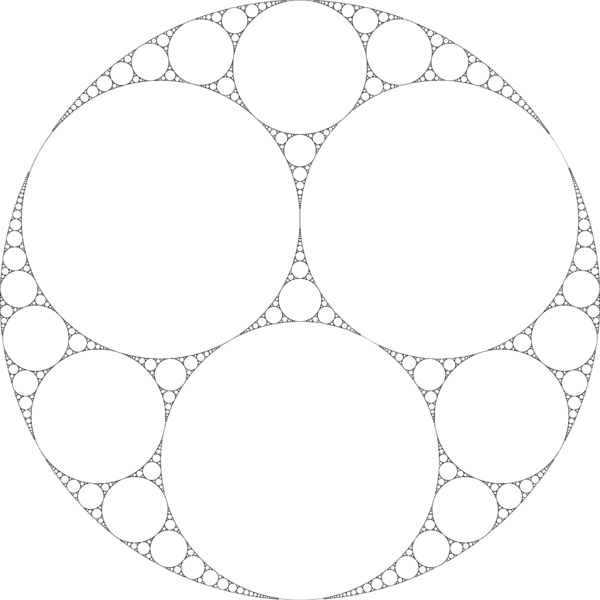
apollonian_gasket.ascii.pgm,
a 600 wide by 600 high image of an Apollonian gasket.
-
apollonian_gasket.png, a PNG image.
-
baboon.ascii.pgm,
a 512 wide by 512 high image of a baboon.
-
baboon.png, a PNG image.
-
balloons.ascii.pgm,
a 640 wide by 480 high image of a couple, with balloons.
-
balloons.png, a PNG image.
-
balloons_noisy.ascii.pgm,
a 640 wide by 480 high image of a couple, with balloons,
after "salt and pepper" noise has been added.
-
balloons_noisy.png, a PNG image.
-
barbara.ascii.pgm,
a 512 wide by 512 high image of a woman.
-
barbara.png, a PNG image.
-
body1.ascii.pgm,
a 640 wide by 480 high image of a body scan.
-
body1.png, a PNG image.
-
body2.ascii.pgm,
a 640 wide by 480 high image of a body scan.
-
body2.png, a PNG image.
-
body3.ascii.pgm,
a 640 wide by 480 high image of a body scan.
-
body3.png, a PNG image.
-
brain_398.ascii.pgm,
a 720 wide by 486 high image of a visualization of the optical system.
-
brain_398.png, a PNG image.
-
brain_492.ascii.pgm
-
brain_492.png, a PNG image.
-
brain_508.ascii.pgm
-
brain_508.png, a PNG image.
-
brain_604.ascii.pgm,
a 720 wide by 486 high image of a visualization of the optical system.
-
brain_604.png, a PNG image.
-
casablanca.ascii.pgm,
a still from the movie "Casablanca";
-
casablanca.png,
a PNG version;
-
coins.ascii.pgm,
a 300 wide by 246 high image of 6 nickels and 4 dimes.
-
coins.png, a PNG image.
-
columns.ascii.pgm,
a 640 wide by 480 high image of a person standing by some columns;
-
columns.png, a PNG image.
-
dla.ascii.pgm,
an 800 by 800 image of a structure created by diffusion-limited aggregation.
-
dla.png,
a PNG version.
-
dragon.ascii.pgm,
a 475 wide by 460 high image of a cartoon dragon.
-
dragon.png, a PNG image.
-
f14.ascii.pgm,
a 640 wide by 480 high image of an F14 fighter jet.
-
f14.png, a PNG image.
-
feep.ascii.pgm,
a 24 wide by 7 high image that
displays "FEEP" in block letters.
-
feep.png, a PNG image.
-
foliage.ascii.pgm,
a 480 wide by 640 high image of foliage.
-
foliage.png, a PNG image.
-
fractal_tree.ascii.pgm,
a photograph of a tree suggesting a fractal structure.
-
fractal_tree.png,
a PNG version.
-
galaxy.ascii.pgm,
a 965 wide by 965 high image containing four pictures of
the same galaxy at different wavelengths.
-
galaxy.png, a PNG image.
-
gator.ascii.pgm,
a 633 wide by 621 high image of Junior the Alligator.
-
gator.png, a PNG image.
-
glassware_noisy.ascii.pgm,
a 320 wide by 428 high image of glassware, spotted with "salt and pepper" noise.
-
glassware_noisy.png, a PNG image.
-
hands.ascii.pgm,
a 640 wide by 480 high image of hands.
-
hands.png, a PNG image.
-
handsmat.ascii.pgm
-
handsmat.png, a PNG image.
-
lena.ascii.pgm
a 512 wide by 512 high image.
-
lena.png, a PNG image.
-
marcie.ascii.pgm
-
marcie.png, a PNG image.
-
mona_lisa.ascii.pgm,
a 250 wide by 360 high image of the Mona Lisa.
-
mona_lisa.png, a PNG image.
-
mother_daughter.ascii.pgm,
a snapshot of a mother and daughter;
-
mother_daughter.png,
a PNG version;
-
mountain.ascii.pgm,
a 640 wide by 480 high image of a mountain.
-
mountain.png, a PNG image.
-
pbmlib.ascii.pgm,
a 600x200 image created by PBMLIB.
-
pbmlib.png, a PNG image.
-
pepper.ascii.pgm,
a 256 wide by 256 high image of some peppers.
-
pepper.png, a PNG image.
-
roi_14.ascii.pgm,
a 507 wide by 505 high image an MRI, the 14th in a sequence.11
-
roi_14.png, a PNG image.
-
saturn.ascii.pgm
-
saturn.png, a PNG image.
-
screws.ascii.pgm
-
screws.png, a PNG image.
-
snap.ascii.pgm,
a 295 wide by 400 high snapshot of a mother and child.
-
snap.png, a PNG image.
-
surf.ascii.pgm,
a 640 wide by 480 high beach picture.
-
surf.png, a PNG image.
-
totem.ascii.pgm
a 640 wide by 480 high image of a totem pole.
-
totem.png, a PNG image.
-
tracks.ascii.pgm,
a 300 wide by 200 high image that looks like tracks.
-
tracks.png, a PNG image.
-
venus1.ascii.pgm,
a 640 wide by 480 high photo image from the surface of Venus.
-
venus1.png, a PNG image.
-
venus2.ascii.pgm
a 640 wide by 480 high photo image from the surface of Venus.
-
venus2.png, a PNG image.
-
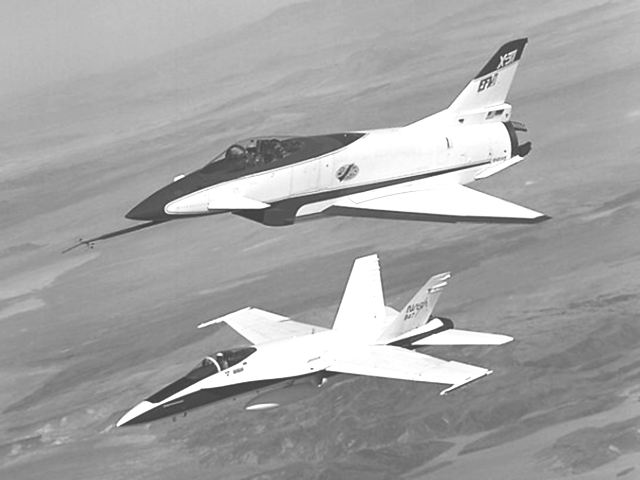
x31_f18.ascii.pgm,
a 640 wide by 480 high image of X31 and F18 aircraft.
-
x31_f18.png, a PNG image.
You can go up one level to
the DATA page.
Last revised on 10 June 2011.